


-
Auto Move To SD Card
- Category:Tools
- Updated:2025-12-02
- Rating: 4.5


















Introduction
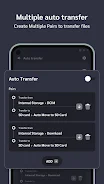
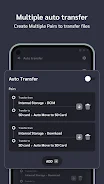
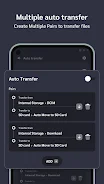
Auto Move To SD Card is a mobile app designed to help users manage storage space by automatically transferring apps and files from internal memory to an SD card. The app focuses on convenience, speed, and storage optimization, making Auto Move To SD Card ideal for users with limited device storage. With automatic transfer, easy setup, and file management features, Auto Move To SD Card helps keep your device organized and running smoothly.
Features:
1. Auto Move To SD Card automatically transfers compatible apps to an SD card to free up internal storage.
2. The app supports bulk transfers, allowing multiple apps to be moved at once.
3. Users can schedule automatic transfers in Auto Move To SD Card for regular storage management.
4. The app provides notifications and logs to keep track of moved apps and files.
5. Auto Move To SD Card includes a simple interface for easy setup and management.
Playing Tips:
1. Check which apps are compatible before transferring to avoid affecting performance.
2. Schedule regular transfers in Auto Move To SD Card to maintain free internal storage consistently.
3. Use bulk transfer for multiple apps to save time and streamline the process.
4. Monitor notifications to ensure apps are successfully moved and accessible from the SD card.
5. Keep the SD card properly mounted and formatted to prevent transfer errors in Auto Move To SD Card.
Conclusion:
Auto Move To SD Card provides an effective and convenient way to manage device storage by moving apps and files to an SD card. Its automatic transfer, scheduling, and simple interface make it ideal for users looking to optimize storage space. For anyone seeking a reliable solution to manage internal memory efficiently, Auto Move To SD Card offers a practical and user-friendly tool.
Information
- Size: 13.00 M
- Language: English
- Version: 3.0.3
- Requirements: Android
- Ratings: 6
- Package ID: com.gonext.automovetosdcard
- Developer: