


-
Samsung Find
- Category:Lifestyle
- Updated:2025-12-02
- Rating: 4.2


Introduction
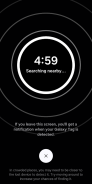
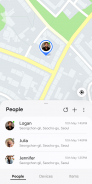
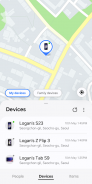
Samsung Find is a mobile app designed to help users locate lost or misplaced Samsung devices quickly and securely. The app focuses on real-time tracking, device protection, and easy recovery options, making Samsung Find ideal for anyone who wants peace of mind in case their phone, tablet, or wearable device goes missing. With remote control features and location updates, Samsung Find ensures you can locate and manage your device efficiently.
Features:
1. Samsung Find allows users to track lost Samsung devices in real-time using GPS and network location.
2. The app supports remote locking of devices to protect personal data.
3. Users can trigger alarms on their devices even if they are on silent mode.
4. Samsung Find offers options to display a message or contact information on the lost device’s screen.
5. The app allows remote backup or deletion of data to secure sensitive information in case of theft or loss.
Playing Tips:
1. Ensure location services are enabled on your device for accurate tracking in Samsung Find.
2. Regularly sign in to your Samsung account to keep Samsung Find ready for emergencies.
3. Use remote locking and messages to protect and communicate with anyone who finds your device.
4. Trigger alarms to locate devices nearby even if they are on silent mode.
5. Keep the Samsung Find app updated to access the latest tracking and security features.
Conclusion:
Samsung Find provides a secure and efficient way to locate, lock, and manage lost Samsung devices. Its real-time tracking, remote control, and backup options make it ideal for device security and peace of mind. For anyone seeking a reliable method to protect and recover their Samsung devices, Samsung Find offers a trustworthy and user-friendly solution.
Information
- Size: 78.40 M
- Language: English
- Version: 1.7.00.19
- Requirements: Android
- Ratings: 73
- Package ID: com.samsung.android.app.find
- Developer: Samsung Electronics Co., Ltd.